protocol 21 how to download
here:
https://cod4x.ovh/uploads/short-url/d5Tcz0e3rFBEE20Sw5Ep9wi0RqR.zip
extract into cod4 directory and click on install.cmd
I downloaded that, it doesn’t work, WHY TH NOT???
Oh neverminddddddddddddddddddddddddddddddddddddd
Dedicated server console is pop up and I can change the server info but when I command to fasht_restart it says the server is not running
Hello. In version 21.4, I cannot switch the keyboard language while in-game. To change the language, I have to minimize the game to the desktop (Alt+Tab), change the layout there, and only then return to the game to type in the chat. This is very inconvenient when I need to communicate in different languages during gameplay. Please look into this issue
Hi, what version of the CoD4x client did you use before updating to 21.4? Did you also experience this issue in any of the previous versions? Does the issue persist across system reboots?
Hi!
Yes, I have rebooted my PC, but it didn’t help.
Initially, I was using the Russian version of the client so that Cyrillic characters would display properly and I could type in both English and Russian. When the issue appeared in 21.5, I thought it might be caused by the Russian client version, so I updated to the English version as well, but the problem stayed the same.
Currently, I rolled back to version 21.2. I consider version 21.2 to be the most stable, as everything works perfectly there with no issues at all.
have you tried running the game as admin?
Hi, yes, I tried running it as administrator, but unfortunately, it didn’t change anything. The issue is still there. On version 21.2, everything works fine both ways (whether I run it as administrator or not)
Can you please explain further what you mean that you cannot switch keyboard language in-game?
Is it that you have configured multiple keyboard layouts on your system and now you cannot change between them by pressing Win+Space or similar shortcut while you are in-game?
I confirm that changing the keyboard language does not work from version 21.4 to 21.7.
Yes, exactly. I have two keyboard layouts configured in Windows (English and Russian, as shown in the photo).
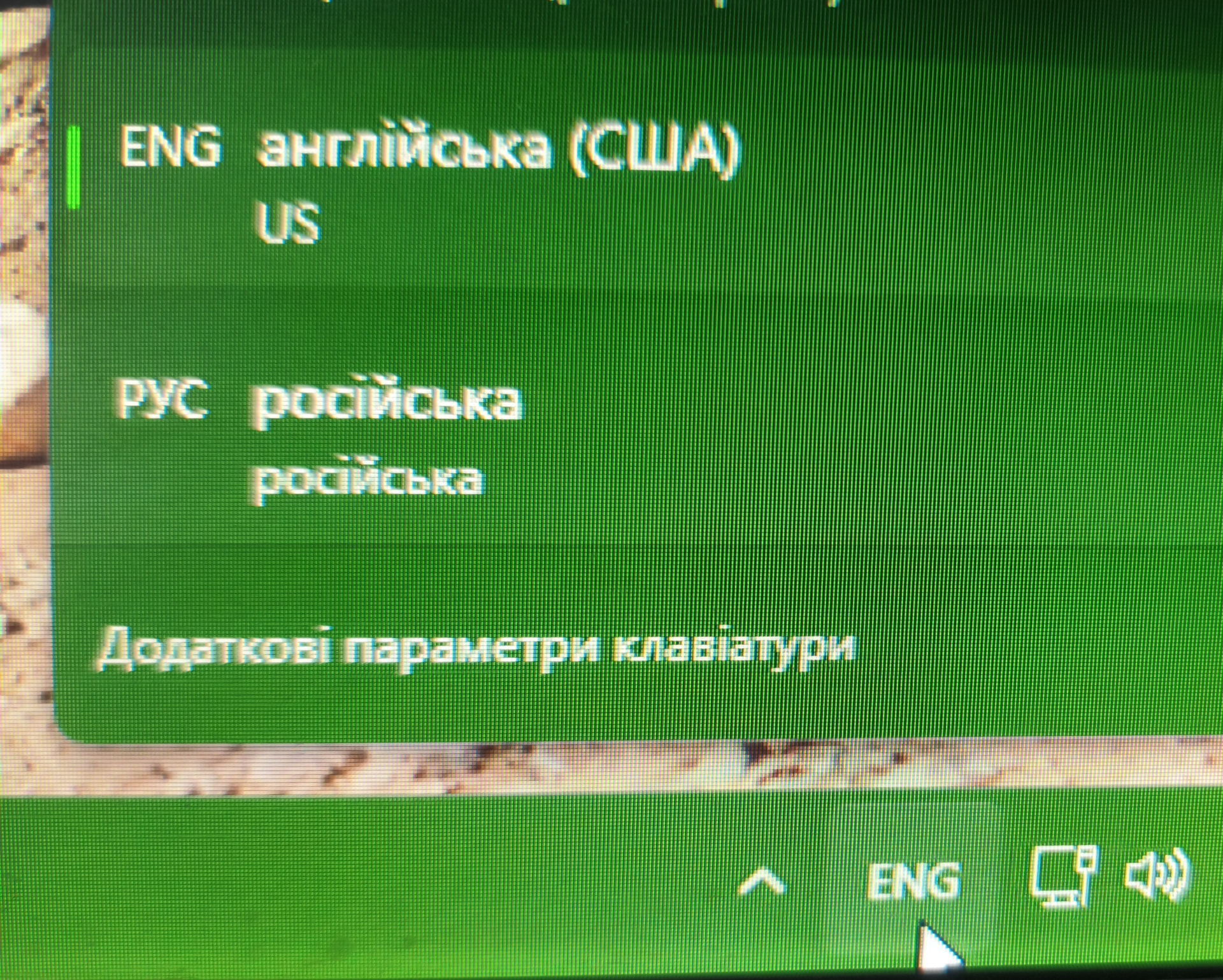
When playing version 21.4 (and 21.5), pressing shortcuts like Win+Space or Alt+Shift simply does not switch the input language while in-game. To change the language, I have to Alt+Tab out to the desktop, switch it there, and return to the game.
21.5 это не официальная версия была, к тому-же меняла гуид
Automatic translation:
21.5 wasn’t an official release, and it also changed the GUID.
Если официальная сломана, то лучше пересидеть на неофициалке, ящитаю
UPD: а то, что она гуид поменяла - меня вообще не парило… ну утратил вип на русском сервере, ну и пофиг)
Automatic translation:
If the official server is down, it’s better to switch to the unofficial one, I think.
UPD: And the fact that it changed the guid - I didn’t care at all… I lost my VIP status on a Russian server, but whatever)
Просто спросите оператора/администратора сервера, могут ли они восстановить ваш VIP-статус. Это не должно быть проблемой.
Automatic translation:
Just ask the server operator or administrator if they can restore your VIP status. It shouldn’t be a problem.
Please keep the thread in English, thank you.
This issue got fixed in 21.8 (credits to @K-Faktor)